

Are your Invoices Compliant with NRS e-Invoicing Laws?
The right operating system is the foundation of every IT setup. Across desktops and servers, a dependable OS delivers speed, protection, and effortless control throughout your organization. Strengthen your infrastructure, safeguard vital data, and equip your people with systems designed to handle the demands of modern business.
THE DEADLINE
Still Invoicing the old way?
Under the Nigeria Tax Administration Act, every qualifying invoice must be created, verified, digitally signed, and sent to NRS instantly through a certified platform.
Taxpayer Category
Large
Medium
Emerging
Annual Turnover
Above ₦5 billion
₦1 billion–₦5 billion
Below ₦1 billion
Published Go-Live
Go-live completed; enforcement period announced for 2026
July 1, 2026
July 1, 2027
NRS doesn’t send warnings.
It sends rejections.
Invoices rejected
Invoices that don’t meet NRS requirements may be rejected during validation.
Revenue gaps
Rejected invoices can leave gaps in your revenue records and audit trail.
Financial penalties
Non-compliance may result in penalties under applicable tax laws.
Enforcement timelines
Requirements and enforcement depend on your taxpayer category and the current NRS rollout schedule.
Businesses that prepare early can make the transition with less disruption.
One Platform for Invoice Readiness
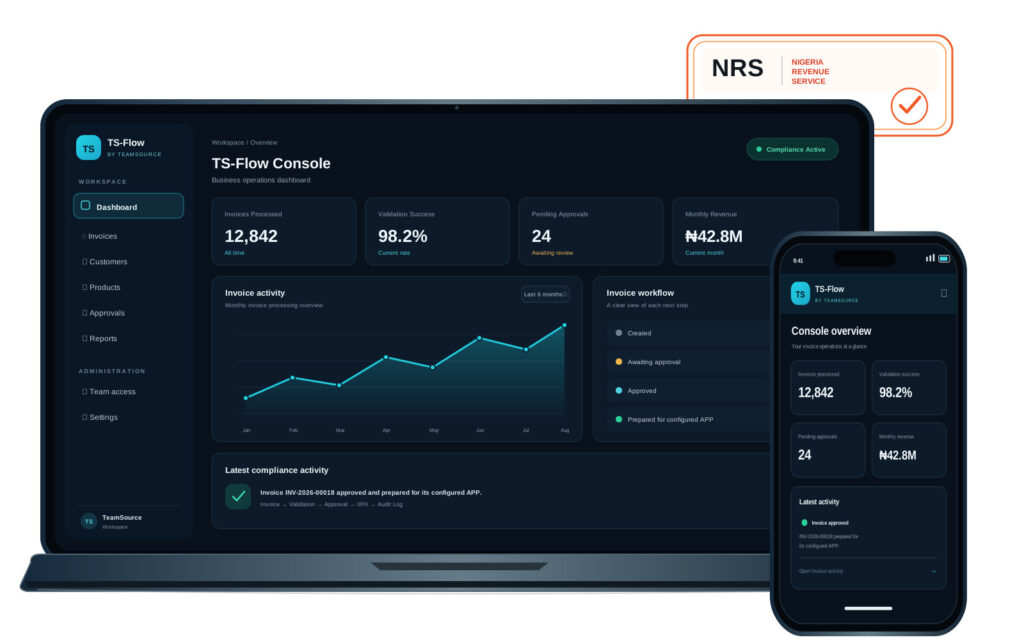
TS-Flow. Prepare invoices for NRS e-Invoicing.
TS Flow helps your team prepare structured invoice data, check it against the NRS schema, and manage internal approvals in one workspace.
- Create and organize invoice details in TS Flow
- Validate and standardize invoice data against the NRS schema
- Route invoices through your internal approval workflow
- Track validation attempts, approvals, and activity
- Prepare approved invoices for handoff to a configured Access Point Provider
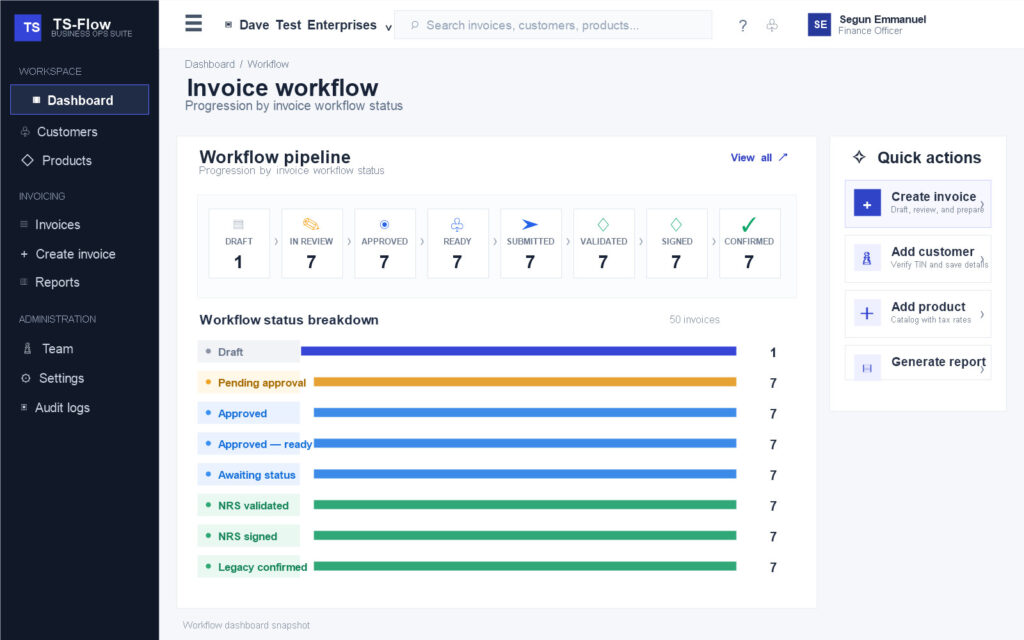
The TS-Flow process
A clearer path to e-Invoicing readiness
Prepare invoice data, review it with your team, and get approved invoices ready for handoff to a configured Access Point Provider.
-
01
Create
Your team prepares invoice details in TS-Flow.
-
02
Validate
TS-Flow checks and standardizes invoice data against the NRS schema.
-
03
Approve
The invoice follows your organization’s internal approval workflow.
-
04
Submit for signing:
Send approved invoices to your Access Point Provider (APP) so they can be submitted to the NRS.
About the APP connection: Connect and configure your APP integration. Live NRS submission depends on your selected provider.
FREE ASSESMENT
Check your NRS e-Invoicing readiness
Answer a few questions about your invoice workflow to identify preparation gaps and discuss practical next steps with the TeamSource team.
secure, high performing IT environment today.